The short answer
Monarch Money is a budgeting app for the US and Canada. Its FAQ says it is currently available only in those two countries and recommends connecting accounts only in USD or CAD. A euro, pound or manat account has no place in it beyond its amounts read as dollars.
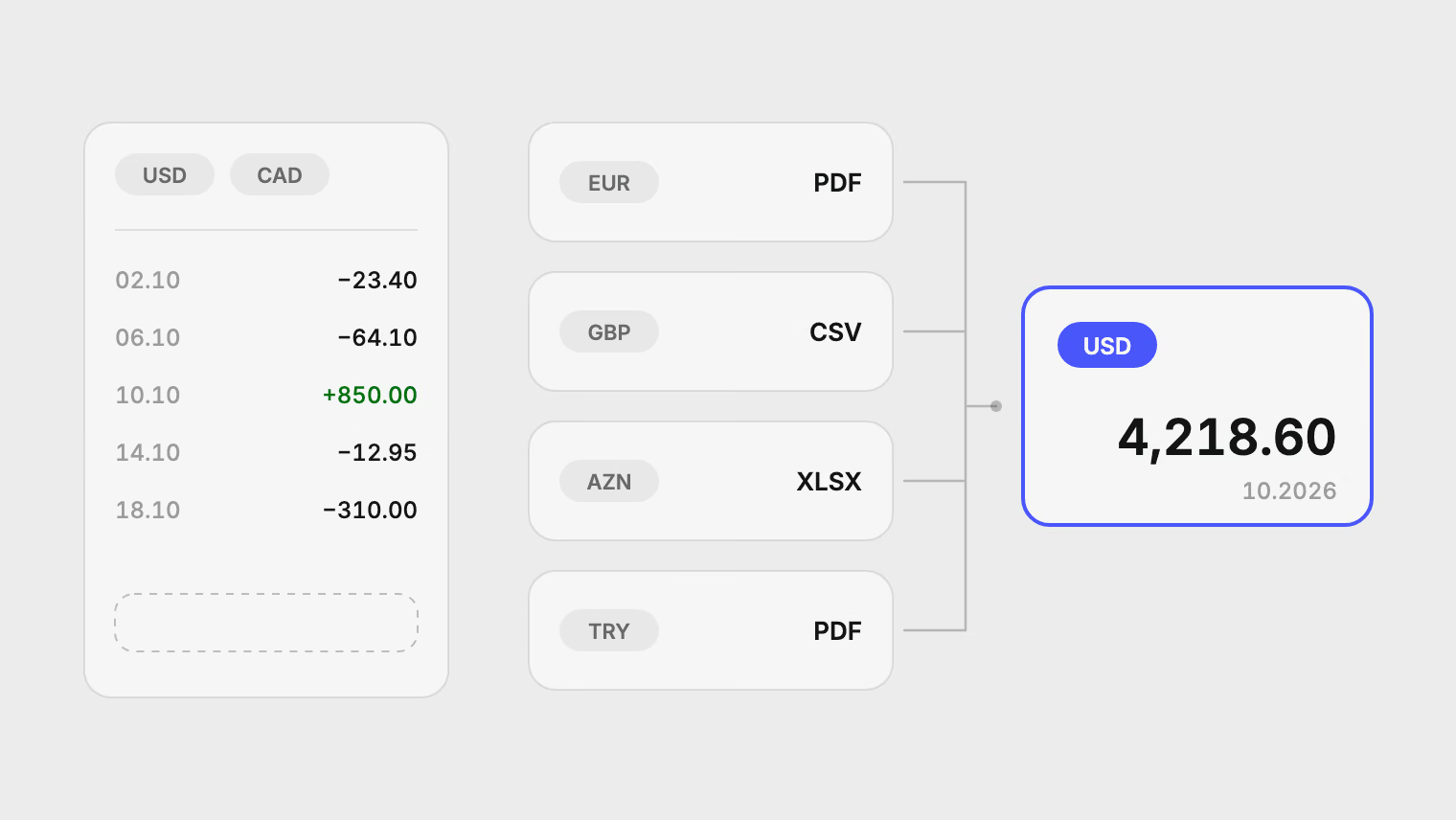
If your banks are elsewhere, Pulget works from the statements and exports those banks already give you. It never connects to a bank, so the country does not matter. Each account keeps its own currency, and reports convert everything into one.
What Monarch supports
From Monarch's help center:
- It is currently only available in the US and Canada, and it recommends connecting accounts only in USD or CAD.
- For why, the FAQ points to its article on international accounts and currency, which explains that Monarch does not tell currencies apart or convert them.
- You can import transactions from a CSV file into a synced or manual account. When the file overlaps existing data, you choose between Prioritize CSV, Prioritize Monarch and Import all.
- Core costs $14.99 a month or $99.99 a year. Plus costs $199.99 a year. The pricing page says "Your first week is on us".
- It runs on the web, on iOS and on Android.
Last checked on 18 November 2026 against Monarch's FAQ, its import article and its pricing page.
So Monarch can take a CSV from a bank in another country. What it cannot do is treat the amounts as anything but dollars. A salary of 3,000 in one currency and a rent of 900 in another are just 3,000 and 900.
How Pulget covers accounts outside the US
- Download a statement or transaction export from each bank or card: PDF, CSV, XLS, XLSX or DOCX. Scanned PDFs are read with OCR.
- Upload it and choose the account it belongs to. Each account has its own currency.
- Check the extracted rows in the import's review step, correct anything read wrongly, then approve.
A row the account already holds is skipped, so overlapping statements do not add rows twice. Possible duplicates across files appear under Duplicates in the Review inbox, to merge or keep.
Every transaction keeps its original amount and currency. For reports, Pulget converts it into one reporting currency at the published rate for its date, or the closest earlier one. You can enter your own rate on a transaction when your bank charged a different one.
Moves between your own accounts do not have to count as spending. Same-amount, same-currency pairs are suggested as transfers in the Review inbox. A transfer that changes currency you group by hand on the Transactions page. The multi-currency guide explains the conversion in full.
Every imported transaction opens its source file and, for a PDF, the page it came from. Merchant names are cleaned against 887 known brands, with a category you can correct.
Monarch and Pulget side by side
| Feature | Monarch Money | Pulget |
|---|---|---|
| Countries and banks | US and Canada | Any bank that gives you a statement or export |
| How transactions arrive | Bank sync in the US and Canada, or a CSV import | Files you upload |
| Currencies | USD or CAD recommended, no conversion | 54 currencies, reported in one currency |
| PDF statements | No, its file import takes CSV | Read directly, scanned PDFs included |
| Budgets and goals | Yes | No budgets |
| Apps | Web, iOS and Android | Web browser only |
| Price | $14.99 a month or $99.99 a year (Core), Plus $199.99 a year | Free during preview, then €9.99 a month on Standard |
Where Monarch is the better choice
- Your accounts are at US or Canadian institutions, in USD or CAD, and you want new transactions to arrive on their own. Pulget knows only what you have uploaded and shows no live balances.
- You want budgets and goals. Pulget has no budgets.
- You track investments and net worth in the same place. Pulget does not track investments.
- You want native phone apps. Pulget works in a web browser and has no mobile app.
If you want the same comparison for another US app, see a Copilot Money alternative outside the US. How YNAB handles banks it does not support covers a budgeting app that imports files.
Already in Monarch? Use both
You do not have to leave Monarch to cover foreign accounts. Keep your US and Canadian accounts there, and let Pulget do the conversion for the rest.
- Upload the foreign statements to Pulget, one account per currency, and approve the rows.
- Set USD as the reporting currency in Settings, so every transaction gets a converted amount. The reporting currency applies to the whole workspace.
- Export the Transactions page as CSV from its overflow menu. The file has a Reporting amount column and a Reporting currency column next to the original Amount and Currency.
- Open the file in a spreadsheet, delete the Amount column and rename Reporting amount to Amount. Save it as CSV.
- Create a manual account in Monarch and import the file into it. The foreign accounts now show converted dollars instead of raw foreign numbers.
The export is UTF-8 CSV with a signed amount (money out is negative), an ISO date and a dot as the decimal separator. A row has a Reporting amount only when a published rate exists for its date or an earlier one, so check for blanks before importing. The statement CSV guide lists every column.
The converted figure is a rate-based estimate for your reports. It is not what your bank charged, and you can overwrite the rate per transaction before you export.
Bring your Monarch history
Monarch can export your transactions as a CSV file. To keep that history in Pulget, upload the file to an account.
- Export your transactions from Monarch as a CSV file.
- If the file mixes accounts, split it by account: Pulget files each upload under one account you choose.
- In Pulget, create the account in US dollars (or Canadian dollars for a Canadian account), since Monarch shows its amounts in those currencies.
- Upload the file and check the dates, amounts and signs in review.
- Approve the rows.
The Standard plan reads up to 1,500 rows per file, and a spreadsheet counts one page per 100 rows. The pricing page lists every limit.
Last checked on 18 November 2026 against Monarch's help center and pricing page.
What Pulget does not do
- It does not sync with banks or show live balances.
- It has no budgets, goals or envelopes.
- It has no mobile app and takes no photos or screenshots as input.
- It does not exchange money. The conversions in reports compare amounts and are not quotes.
Start with one statement
Pick the account Monarch cannot reach and upload one month of it, free during preview. The review shows what Pulget read before anything is saved.
Sources
Related reading
About the author
Hikmat Samadov, Founder. Hikmat builds Pulget, a spending tracker that reads the bank statements you upload instead of connecting to your bank.